Salesforce Live Agent — Business Hours
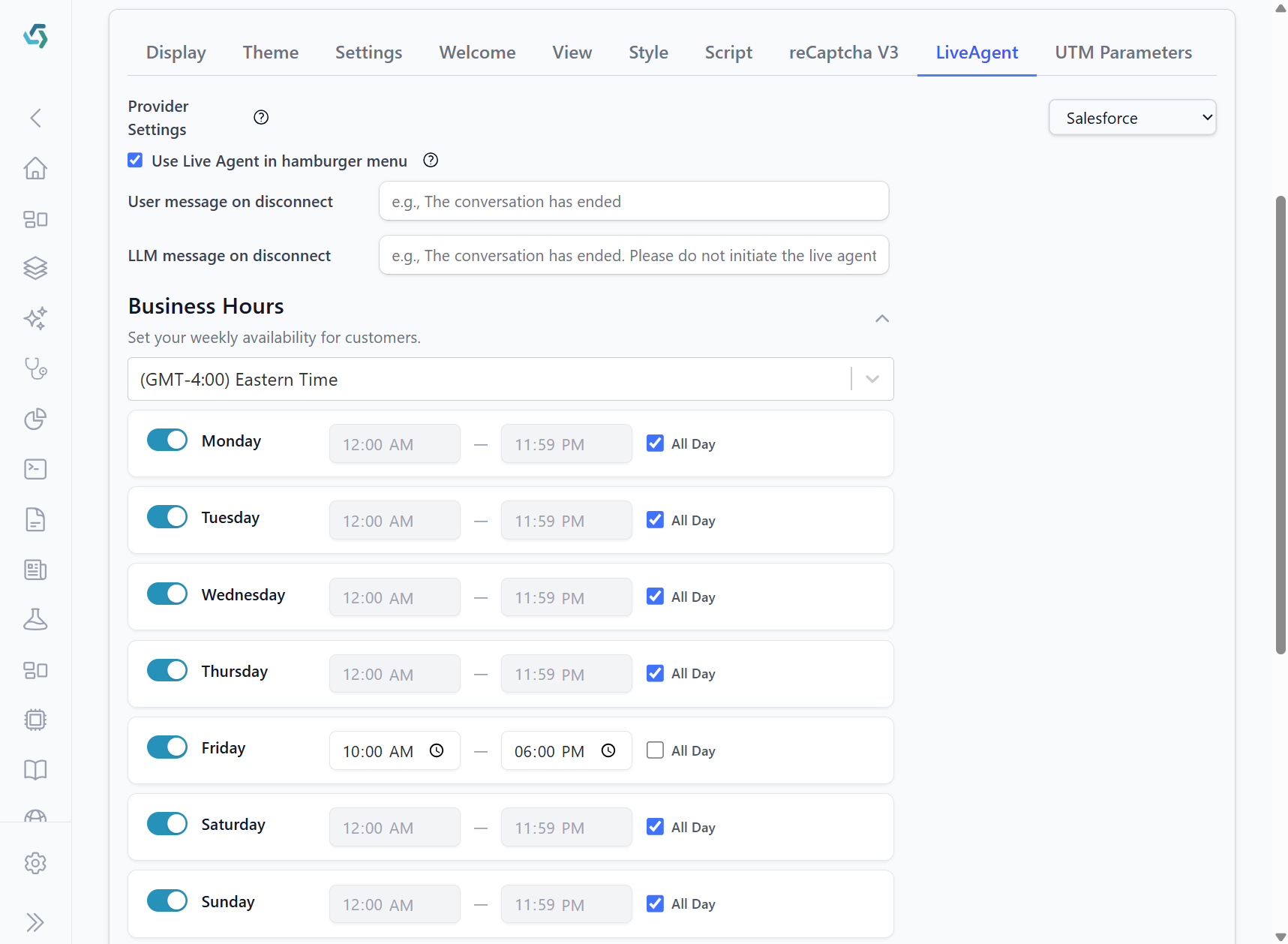
Business hours configured in the Live Agent settings determine whether the bot shows the "Talk to live agent" option in the bot's hamburger menu.
- Within business hours: the "Talk to live agent" menu item is shown and users may request a handoff to an agent.
- Outside business hours: the menu item is hidden (or disabled) so users cannot start a live agent handoff; the bot will use the configured "User message on disconnect" and "LLM message on disconnect" to inform the user.
Notes
- The timezone selector at the top of the Business Hours panel is used when evaluating the current time.
- A day that is toggled off is treated as outside business hours for that entire day.
- Hours are inclusive of the start and end times configured in the panel.
Examples
- If business hours are set to Monday–Friday 09:00–17:00 (GMT-4) and a visitor arrives at 10:30 EDT on a Tuesday, the "Talk to live agent" option will be visible.
- If a visitor arrives on Saturday at 12:00, and Saturday is not enabled or outside hours, the option will not appear.
Implementation details
- The bot checks the provider's business hours configuration at runtime. Live Agent must be enabled in the bot settings for these business hours to affect menu visibility.