Knowledge Base
The Knowledge Base within ai12z is a vital repository where Agent administrators can create, manage, and store kB articles tailored to user inquiries, especially for questions not covered by existing documents.
To access the Knowledge Base:
- From the Dashboard, select 'Knowledge Base' from the left navigation panel.
- You will be directed to the 'All Q&A' screen, which lists all the questions and answers in your Agent.
List kB articles
Listing the KB articles
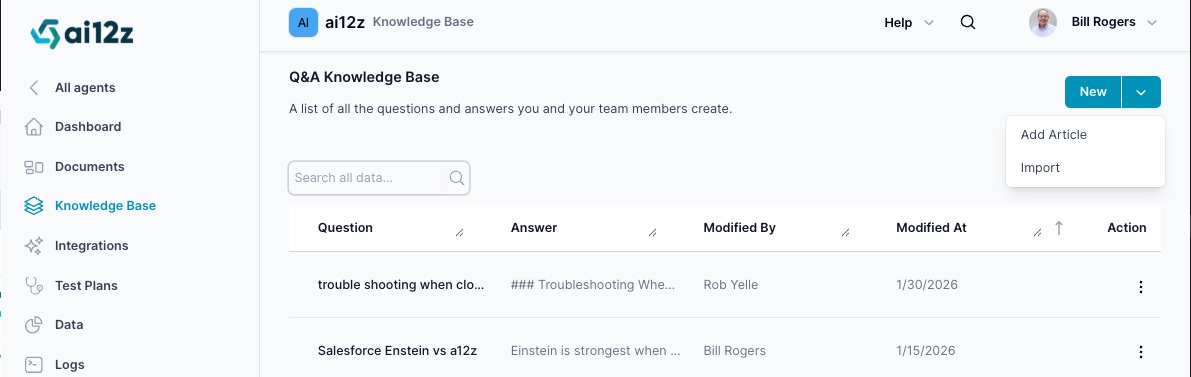
Import Knowledge Base Articles
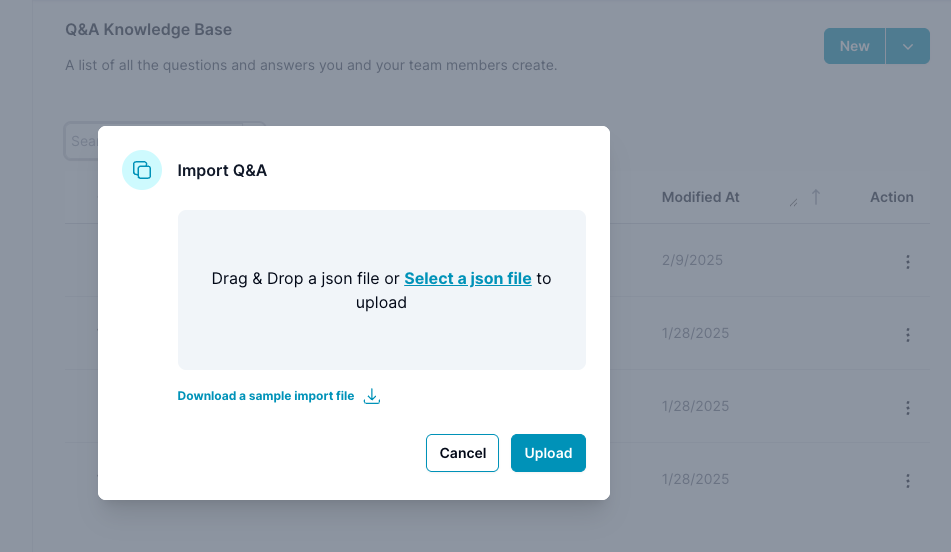
Download sample JSON as an example of the format
Managing Knowledge base
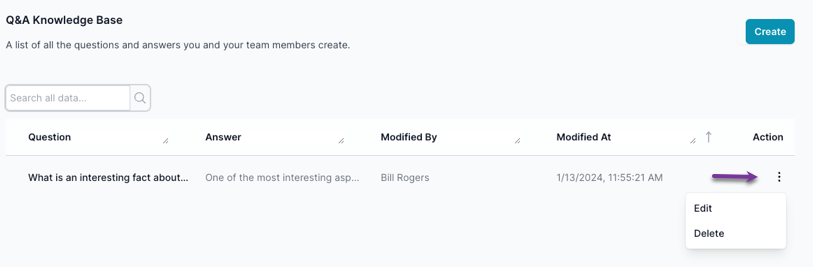
Managing existing KB articles:
- Viewing all created kB articless at a glance on the 'All Q&A' screen.
- Monitoring modifications to Q&A entries, including who made changes and when.
- Ensuring the relevance and up-to-dateness of kB articles.
- Editing or deleting kB articles via the 'Action' column options.
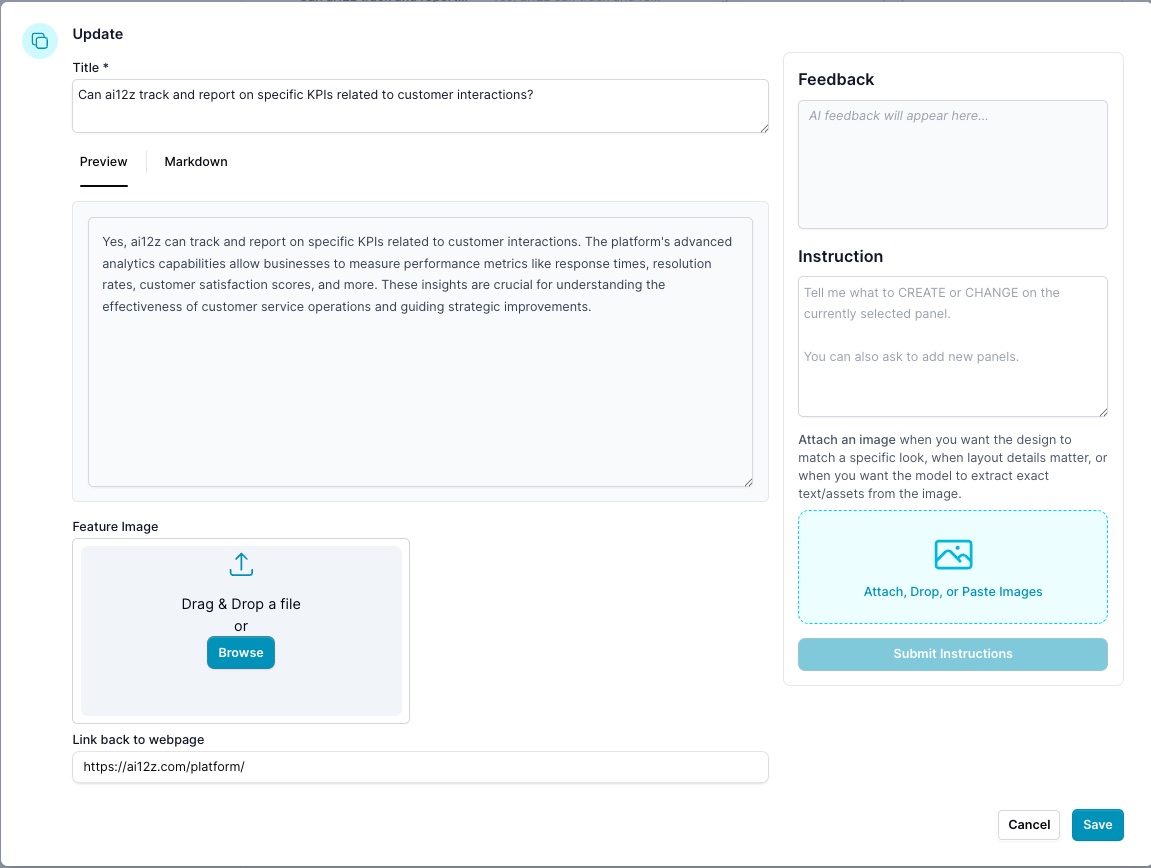
Editing / Creating a Knowledge Base Article
- Click the 'Add Article' button on the 'All knowedge Base' screen.
- In the 'New Entry' dialog box, fill in the fields:
- Title: Type the title you want the AI to address.
- Markdown: Enter a clear, concise, and informative answer.
- Preview: Visualize the markdown
- Link back to webpage (optional): Provide a URL to a related webpage for further reference, if applicable.
- Vibe Coding You can use vibe coding to create the article just add instructions, or re-edit the article. It has knowledge of the organization. You can always ask for feedback and you will get feedback about the article.
Considerations for KB article Creation
When creating kB articles:
questions based on gaps in user inquiries not addressed by existing documentation.
- Make answers factual, concise, and consistent with the Agent's tone and style.
- Provide a webpage link when possible to add context or evidence supporting the answer.